

Hide n Seek: New app to hide your Camera roll pictures | iPhone & iPod touch News / Help

Hide n Seek: New app to hide your Camera roll pictures

by Abhishek on July 17, 2009

in All, Cydia, Reviews

hide n seek hiden seek

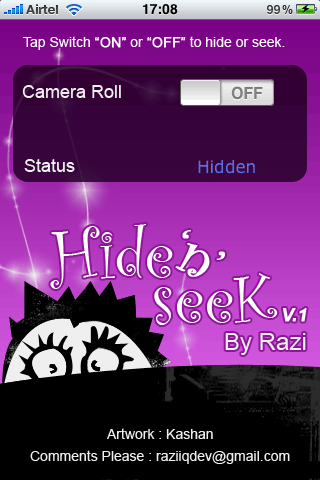
Hide-n-Seek hides your super personal photos which are shot by your iPhone Camera.  Once the images are hidden you cant view Camera roll pics in phone and in PC as well.  Though this app only hides your Camera Roll only (in the current version 1.0), but we can expect to hide other folders and individual photos as well on future versions.

This app is available under the BigBoss & Planet-iPhone repo.

Installation Instructions:

- Go to Cydia.
- search for Hide n Seek.
- install like you install other apps from Cydia.

{ 1 trackback }

Hide n SeeK updated to v2.0: Coming soon to Cydia | iPhone Help !
08.09.09 at 9:53 pm

{ 10 comments… read them below or add one }

rakesh agarwal 07.18.09 at 3:39 pm

Bravo !! super cool information !! thanks iphonehelp for updating me with all these great appliaction

Razi 07.21.09 at 9:00 am

thanks for the info :)

Juan 07.28.09 at 10:52 pm

this app messed up on me. no matter how much I switch the toggle it always says hidden. so now I can’t get to my photos D: anyone that can help?

ed 08.06.09 at 5:45 pm

I have the same proble as juan above. i have uninstall and still cant see my photos. Not sure if they are hidden or deleted. i hae taken new ones which are visible

Author 08.07.09 at 6:33 am

Next version of Hide n Seek will be released in a couple of days, that will take care of the bug and you ll get your photos back, so dont worry just bear with me. I ll release it in a day or two.

Visit this blog to keep track of the updates

http://appitizers.blogspot.com/

remco 08.09.09 at 11:52 am

Had the same problem, looked into it and It simply renames your ./private/var/mobile/Media/DCIM/100APPLE to ./private/var/mobile/Media/DCIM/.100APPLE (watch the dot before 100APPLE). log on with an ssh client and rename it back.

Author 08.09.09 at 7:37 pm

Next version of Hide n Seek will be released in a couple of days, that will take care of the bug and you ll get your photos back, so dont worry just bear with me. I ll release it in a day or two.
Visit the blog to keep track of the updates

Tobi 08.13.09 at 9:31 pm

Hallo, ich habe mehrere Bilder auf meinem IPhone gehabt, als ich mir dann Hide n Seek runtergeladen habe, waren alle Bilder weg! so, dann hab ich mir, wie von euch beschrieben, “Hide n Seek 2.0!” runtergeladen und jetzt sind ein paar ALTE Bilder mit drin aber immernoch nicht alle alten!!!! -> hab ich jetzt noch eine Chance all meine Bilder wieder zu bekommen?

Brauch eure Hilfe!! danke

Ankur 08.13.09 at 9:35 pm

You can contact the developer at raziiqdev at gmail dot com

simon 08.26.09 at 7:00 am

i installed the program just as it instructed but i have absolutely no idea how to access the program. i go into bossprefs and go to the hide/show icons thing and hide n seek is in it and listed as “on” but it isn’t on springboard. someone help.

Leave a Comment

You can use these HTML tags and attributes: <a href="" title=""> <abbr title=""> <acronym title=""> <b> <blockquote cite=""> <cite> <code> <del datetime=""> <em> <i> <q cite=""> <strike> <strong>

Previous post:

Next post: