The bank’s customer care has just promised you a refund “within seven working days”. The landlord has agreed to the new rent on the phone. You want that conversation on record, and you’ve heard for years that an iPhone simply can’t do it.
It can now. You can record calls on iPhone in India with the recorder built into the Phone app: it’s free, and the recording lands in Notes when you hang up. There’s one catch that no app or setting gets around: the other person hears that they’re being recorded.
Record calls on iPhone in India: the quick answer
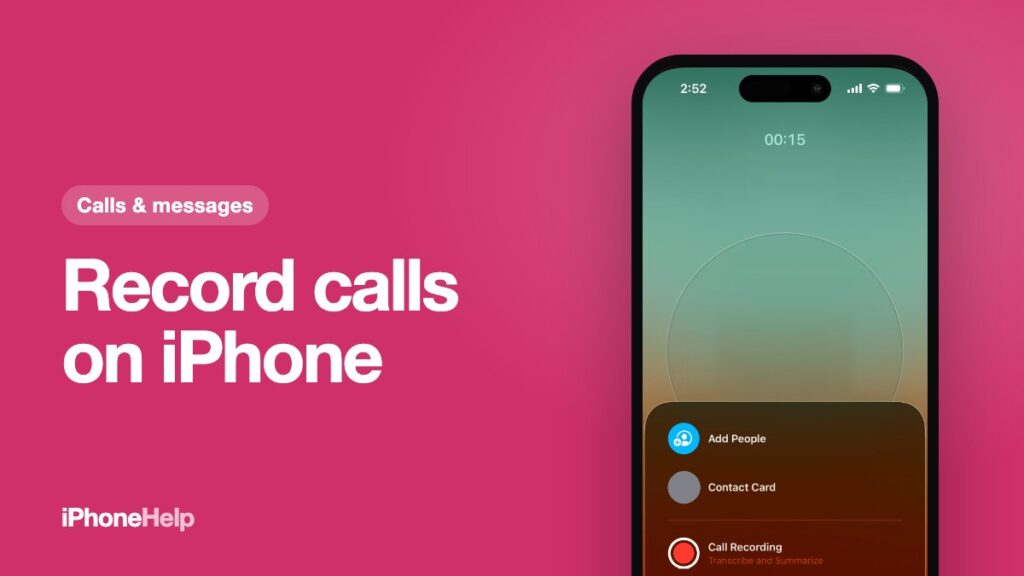
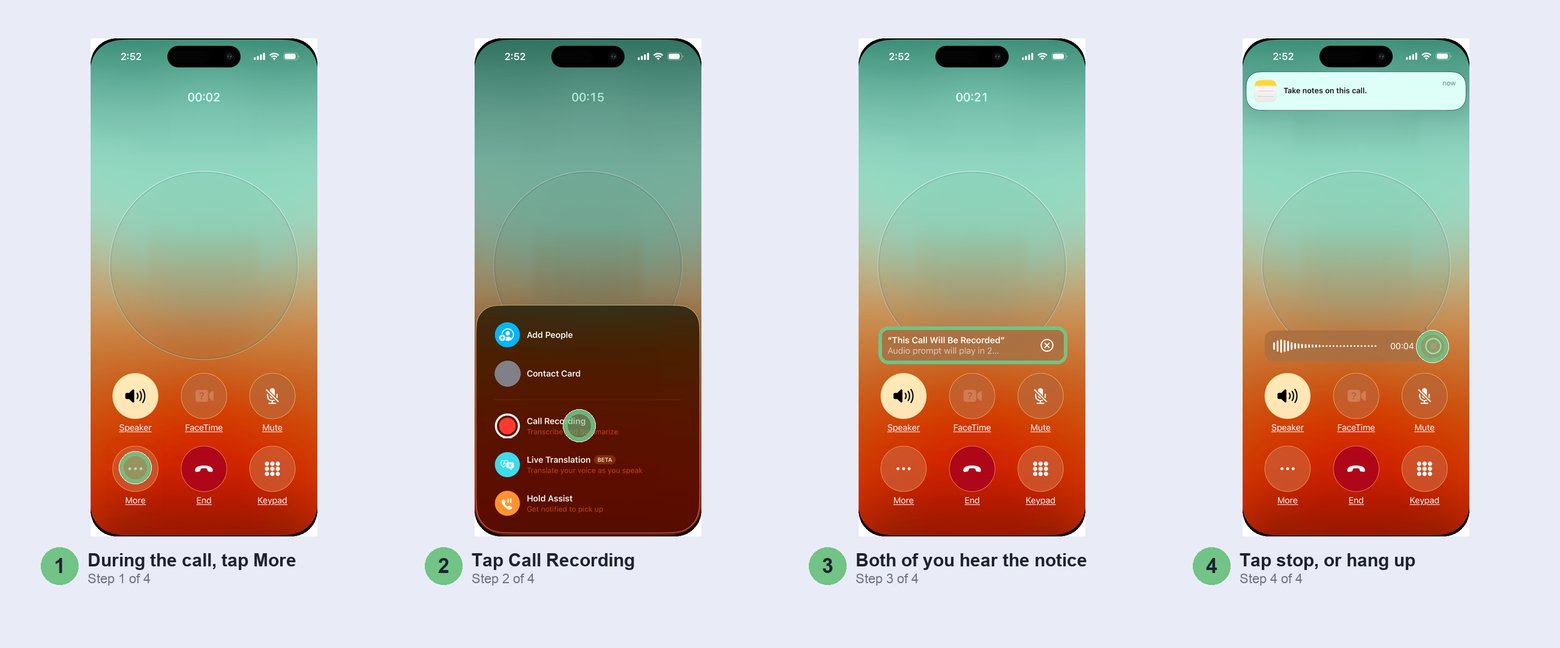
During the call, tap More (the three dots), then tap Call Recording. A short countdown runs, both of you hear a notice that the call is being recorded, and recording starts. Tap the stop button or just hang up to finish.
Find it in the Notes app, in a folder called Call Recordings. Calls in English usually get a written transcript too. Calls in Hindi are recorded but don’t get one.
You need iOS 18.1 or later. Nothing to download, nothing to pay.
Before you start: three things to check
Your iOS version. Call recording arrived in iOS 18.1. Not sure what you’re on? It’s listed under About in the General section of Settings. On iOS 26 and iOS 27 the option sits under the More button on the call screen. On iOS 18 it was a separate record button in the top-left corner, so if you see that button, use it instead.
It’s a two-person call. Your iPhone records only when you’re talking to one other person. Merge in a third caller and the option won’t help you.
The other person is fine with it. Apple’s guide asks you to make sure they’re willing before you start. They’ll hear the notice anyway, so say it first: “I’m recording this so I don’t miss anything.”
Record a call, step by step
- Make or answer the call as usual.
- Tap More (the three dots, bottom left on the call screen).
- Tap Call Recording, the one with the red icon.
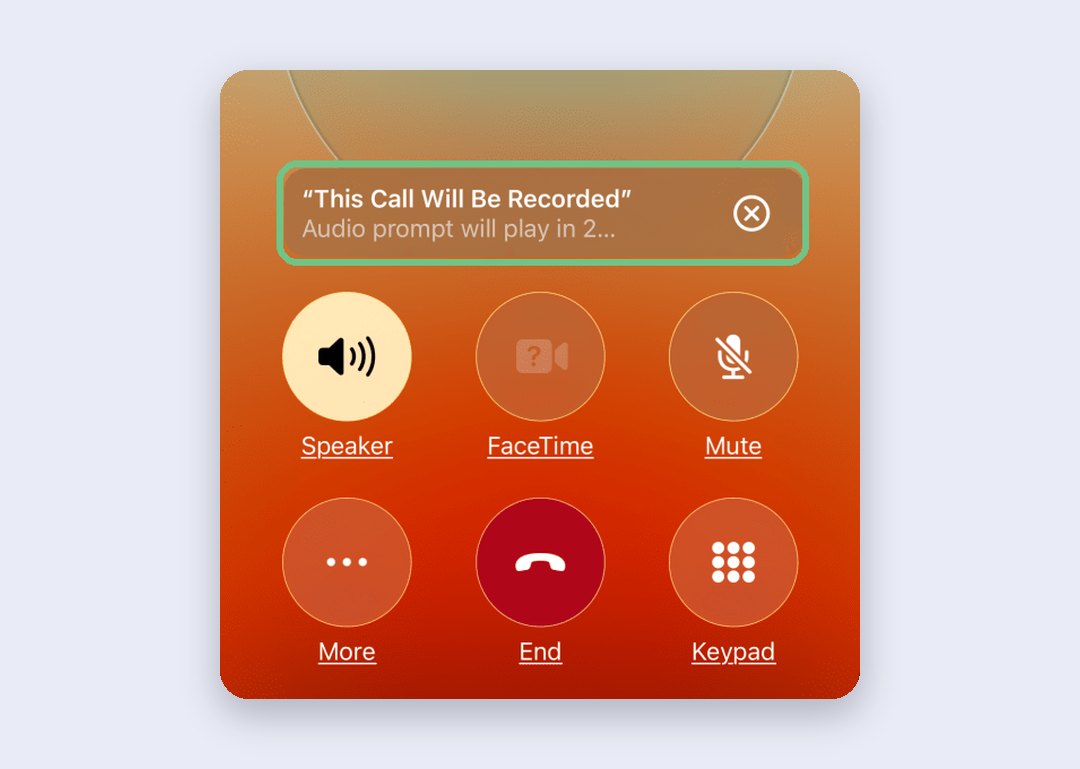
- A banner reads “This Call Will Be Recorded” with a short countdown. Changed your mind? Tap the cross on the banner to cancel.
- When the countdown ends, both of you hear the notice. A recording indicator stays on screen for as long as it’s recording.
- To stop, tap the red stop button, or just hang up. The other person hears a short message that the recording has ended.
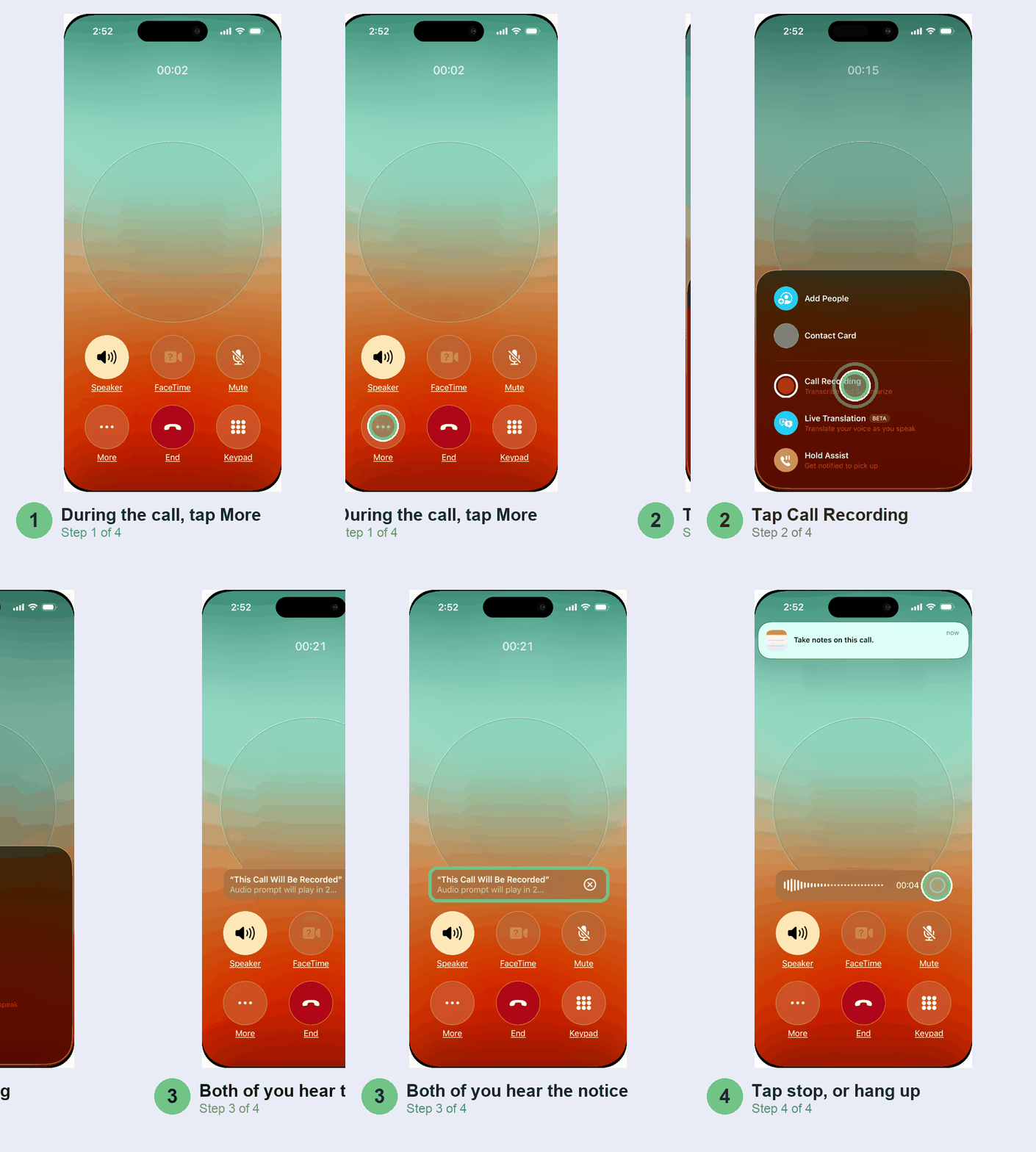
Want to jot something down while you talk? A Notes alert pops up at the top with “Take notes on this call”. Tap it and your notes sit next to the recording later.
You can also record FaceTime audio calls the same way.
Find, play and share the recording in Notes
- Open Notes and tap the Call Recordings folder.
- Tap the call. Each call has its own note, named after the person you spoke to.
- Tap the recording to open it. Tap play to listen, or read the transcript underneath, where each line is labelled with who said it.
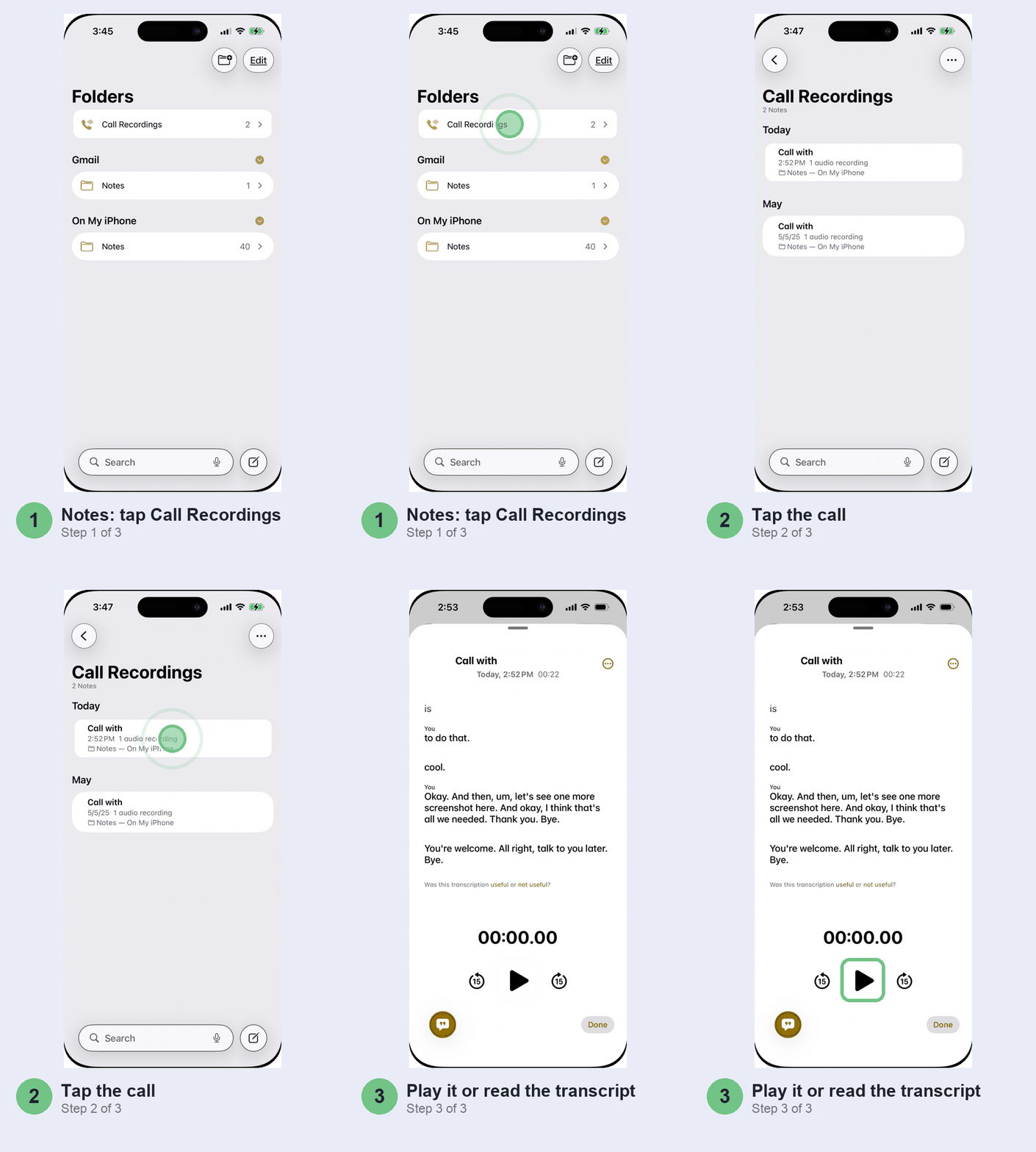
The transcript can take a little while to appear. It only shows up in supported languages, and English (India) is one of them. Hindi calls still record, and the audio is all there, but you won’t get text. Apple doesn’t say how it treats a call that mixes English and Hindi, so don’t count on a clean transcript for one. Even in English it isn’t always word-perfect: check names, amounts and dates against the audio before you rely on it.
The More button on the recording lets you search the transcript, copy it, share the audio or save it. If you might need the call as proof later, use Save Audio Files and put a copy in Files the same day. A note is easy to delete by accident, and deleting the audio deletes the transcript with it.
We’re not lawyers, and we won’t tell you whether a recording will hold up in a dispute with a bank or a landlord. What we’d do is simple: say you’re recording, keep the audio file, and write down the date, time and number alongside it.
Got an iPhone 15 Pro, iPhone 16 or a newer model with Apple Intelligence on? You also get a short summary of the call, in English. It’s handy for a long call with customer care; skip it for anything where the exact words matter.
No Call Recording option? Check these
You’re looking for the old button. This is the usual one. Since iOS 26 there’s no record button on the call screen itself; it’s inside More.
You’re on an older iOS. Update first: anything before iOS 18.1 doesn’t have it.
It’s been switched off. Recording is on by default, but someone may have turned it off. Go to Settings > Apps > Phone > Audio Call Recording and turn it back on. The same switch turns the feature off if you never want it, but that only stops you recording. It doesn’t stop the other person recording you.
It’s a conference call. If you’ve got more than one other person on the line, you can’t record. End the merged call and call the person directly.
It’s a WhatsApp, Telegram or other app call. Apple’s recorder covers regular phone calls and FaceTime audio. Calls inside other apps don’t get the option.
Recording without the announcement: skip it
There’s no setting that turns off the notice. The only switch is the one that turns call recording off completely. So when someone asks “Can I record a call on iPhone 15 without the announcement?”, the honest answer is no, not with Apple’s recorder.
Search the App Store and you’ll find paid recorders charging anything from ₹69 to several thousand rupees. We’d skip them. The built-in recorder is free, saves straight to Notes, and does the job most people want a recording for: keeping a record of what customer care, a landlord or a contractor promised.
Call recording on iPhone: your questions
Does the iPhone have a call recording option in India?
Yes. India isn’t on Apple’s list of countries where it’s switched off, and it records in English and Hindi. You’ll find it under More during a call, on iOS 18.1 or later.
Is call recording available in India on every iPhone?
Any iPhone on iOS 18.1 or later can record. Transcripts depend on the language (English, here) and on your iPhone meeting Apple’s requirements. Summaries need an Apple Intelligence model: the 15 Pro, the 15 Pro Max, or any iPhone 16 or newer.
Why can’t I record calls on iPhone?
Most often you’re looking for the old record button: it’s under More now. After that, check your iOS version, the Audio Call Recording switch, and whether it’s a conference call or a WhatsApp call.
Can I record a call on iPhone without the other person knowing?
No. They hear a notice when you start and a message when you stop, and nothing switches that off.
Where are call recordings saved on iPhone?
In Notes, in the Call Recordings folder, one note per call.
Can I record WhatsApp calls on iPhone?
Not with Apple’s recorder. It handles regular phone calls and FaceTime audio only.
Still on the fence about Apple Intelligence? Our guide to turning on Siri AI on iOS 27 covers which iPhones get it in India. And if most of the calls you’d like on record are from strangers, our guide to blocking spam calls might save you the trouble.
Prefer to watch? Apple’s own short video shows the recording steps on the call screen.
What do you record calls for: customer care, work, or family? Tell us in the comments, and whether the transcript coped with your mix of English and Hindi.
Last updated: November 2026